Field progress capture for standalone Primavera P6
Trustworthy site progress, from the field straight into your schedule
Supervisors status their work on a phone, the planner reviews and exports to P6. Your program shows real progress with no more chasing updates, plus the evidence your claims stand on.
Discipline
Replace exchanger bundle
Unit 45, E-4502
Computed from your steps
Rules of credit
Photos and videos (4)
Site note
Why GridStep
If you run P6, you're ready
Getting reliable progress off site and into your schedule has traditionally meant the usual in-person runaround, or adopting heavy, expensive software: hundreds of thousands a year, months to deploy, and a system your whole team has to learn.
GridStep is built for the majority who run Primavera P6 and do not want those trade-offs. Supervisors capture progress on their phones, and it arrives in your schedule as a clean, ready-to-import file. Nothing new to deploy, nothing to integrate, nothing heavy to learn.
Microsoft Project support is coming in v1.5.
How it works
Set up, capture, review, export
Set up in minutes
Upload your P6 schedule and assign supervisors. They join by scanning a QR code.
Capture on site
Supervisors tick weighted steps and add photos, videos and a note. Geotagged, timestamped, offline.
Planner reviews
You check the field record and decide how it sits in the program. Nothing is applied without you.
Export to P6
Export a P6-ready XLSX keyed by Activity ID. Physical %, actual dates and remaining duration import straight into P6.
Straight into P6
Approved field records and new activity lines appear in your schedule
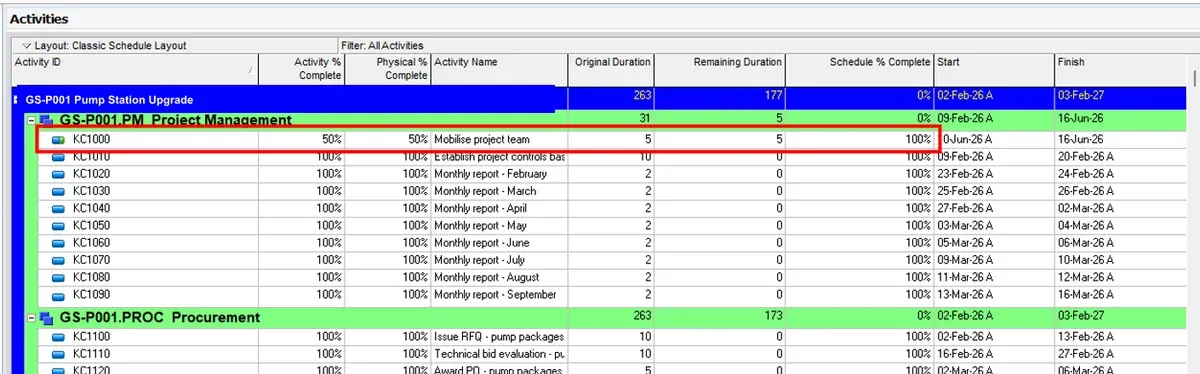
Physical % complete, actual dates and remaining duration import by Activity ID, onto the activities they belong to (here, the highlighted one). New scope the planner approves comes across as new activity lines. No re-keying, no chasing for status.
Where it shines
Made for project teams using Primavera P6
Contractors and subcontractors
Running your own standalone P6, not Oracle cloud.
Planners and project controls
Trustworthy field progress, with no manual re-keying.
Shutdowns and turnarounds
Progress changes by the hour. Capture it as it happens and never chase a number.
Reporting
Recorded site progress, as board-ready reports
Progress measured against your locked baseline. Daily, 7-day and 30-day.
 Pump install
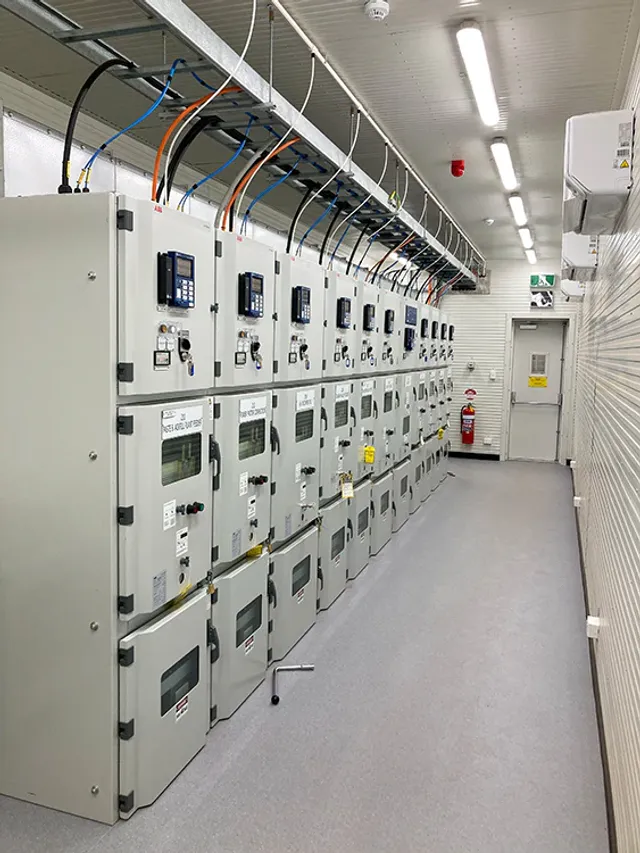 Switchroom commissioning
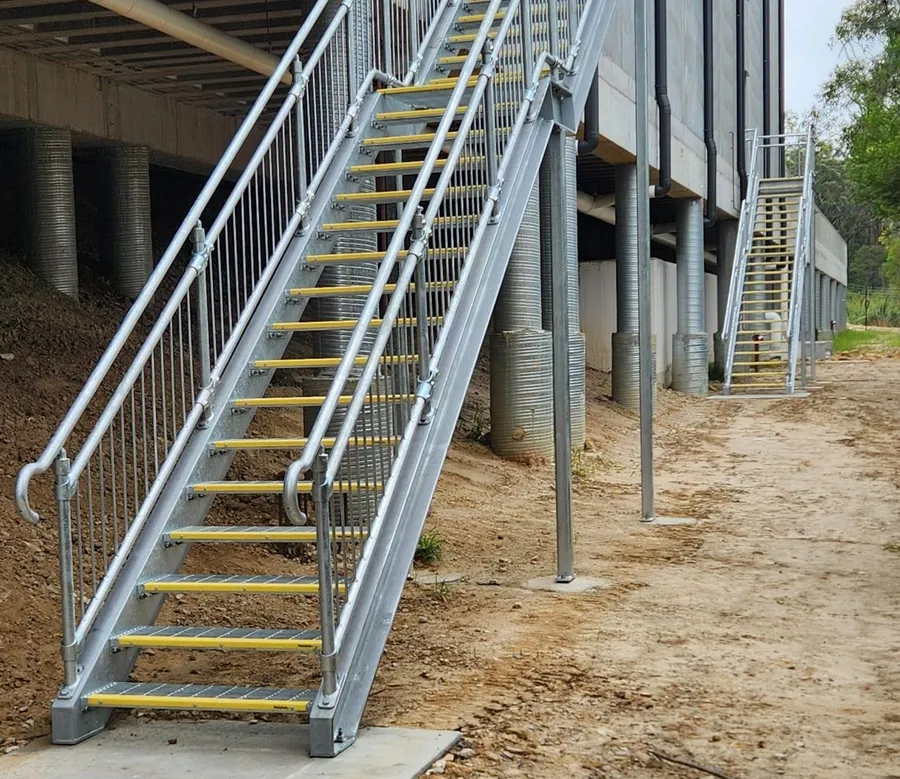 Staircase installed
A sample of the layout. The real report is generated from your own activities and site photos in one click.
Unplanned work
Record new scope as it happens.
When a crew hits unplanned work, the supervisor records it on the spot with photos, video and a geotag. Where it goes is the planner's call, and nothing is added to the schedule without their approval. Anything that may be a variation is flagged for your commercial team and collects into a dated pack.
Captured in place
Photo, video, geotag and capture time, the moment it happens.
Nothing added without approval
The planner reviews each report; it reaches the schedule only once approved.
Append-only evidence pack
Records are never deletable, and collect into a dated pack for your CA or QS.
Built by project planners and engineers who know P6
Everything else, without drifting into scheduling
Rules of credit
Computed physical % from ticked, weighted steps, never a guess.
Offline-first
Capture with zero signal, and everything syncs the moment you're back in range.
Closed P6 round-trip
Activity IDs are never altered. Promoted work exports as genuine adds.
Data in Australia
Secure multi-tenant hosting, your data stored in Sydney.
Pricing
Simple pricing, unlimited supervisors
per month
+ GST. Billed monthly.
- Unlimited supervisors, never charged per head
- Rules of credit, offline capture, photos and videos
- P6 export, with the closed round-trip
- Board-ready PowerPoint and PDF reports
- Auditable evidence packs
- Every feature, no add-ons
Free for 28 days. Cancel anytime.
per year
+ GST. Billed yearly.
- Unlimited supervisors, never charged per head
- Rules of credit, offline capture, photos and videos
- P6 export, with the closed round-trip
- Board-ready PowerPoint and PDF reports
- Auditable evidence packs
- Every feature, no add-ons
Free for 28 days. Cancel anytime.
About
A product by Orbital Intelligence
We're a Perth-based consultancy working in project controls and construction across the mining, energy, and EPCM sectors. We build custom software and advise project teams on data, AI integration, and responsible adoption. We built GridStep as project planners, for project planners. We understand the discipline because we've lived it, and we made it to solve a real pain point: getting trustworthy progress, and the evidence behind it, off site and into your program.